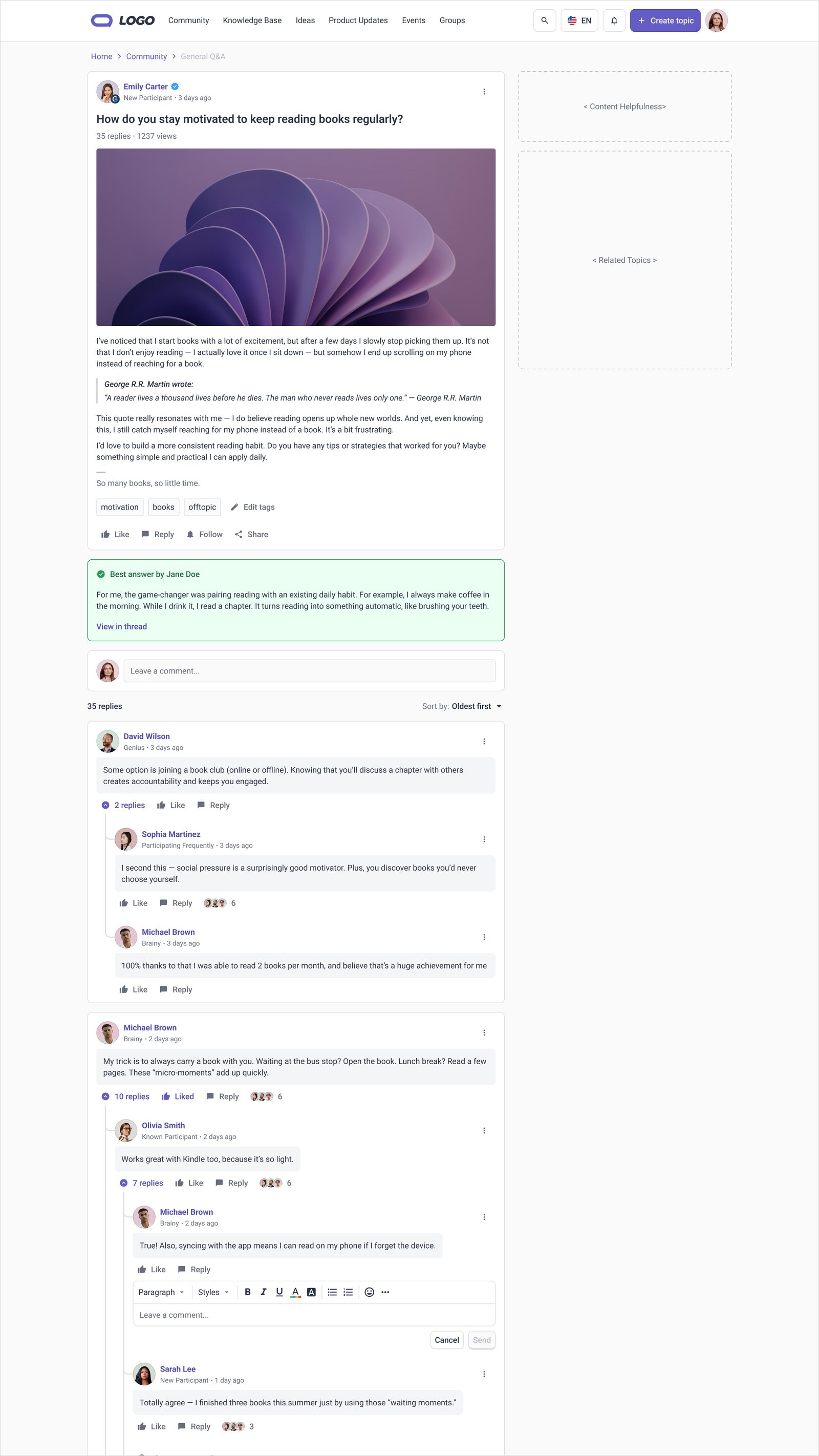
Role-Based Access Control for Enterprise Communities
The existing permission system had no concept of scope, an Editor was an Editor everywhere, forcing admins into role explosion or over-provisioning. I designed a new RBAC architecture, co-designed the backend data model with engineering, resolved a high-stakes architecture debate between two competing backend approaches, and built nine functional prototype versions with Claude Code to drive alignment before a single sprint was scoped.
The core issue was not missing features, it was that the data model could not represent scope. A role bundled permissions, identity, and where-it-applies into one object. That is a design problem masquerading as an engineering one.
Gainsight Communities serves enterprise customers running large, structured online communities, knowledge bases, Q&A forums, ideas boards, and moderated discussion. As customers scale, a recurring problem has surfaced: the current permission system cannot represent how real community teams are structured.
A large customer might have a dedicated KB author team, a separate Q&A moderation team, and regional managers who each own different community sections. The current system cannot model this cleanly. An Editor is an Editor everywhere, admins either over-provision access or create an explosion of near-identical roles (Editor-EMEA, Editor-KB, Editor-CS) that diverge over time and become impossible to maintain.
A second pressure: Khoros parity. Enterprise customers migrating from Khoros expect comparable role granularity. The gap was appearing on contract checklists and in sales conversations.
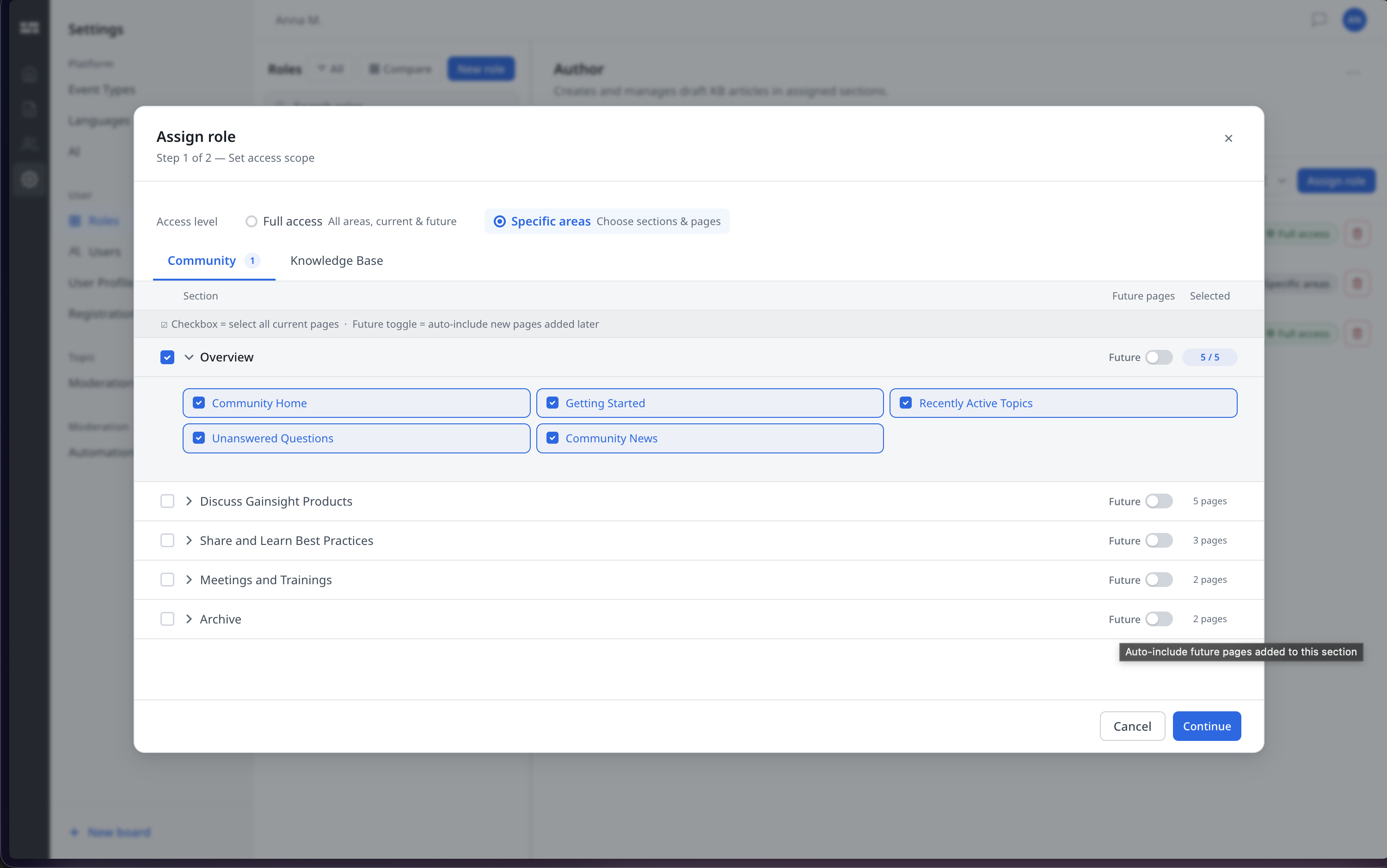
The current system repeats the same sequence once per area an admin wants to configure. The redesign collapses that into two one-time steps regardless of how many areas are involved.
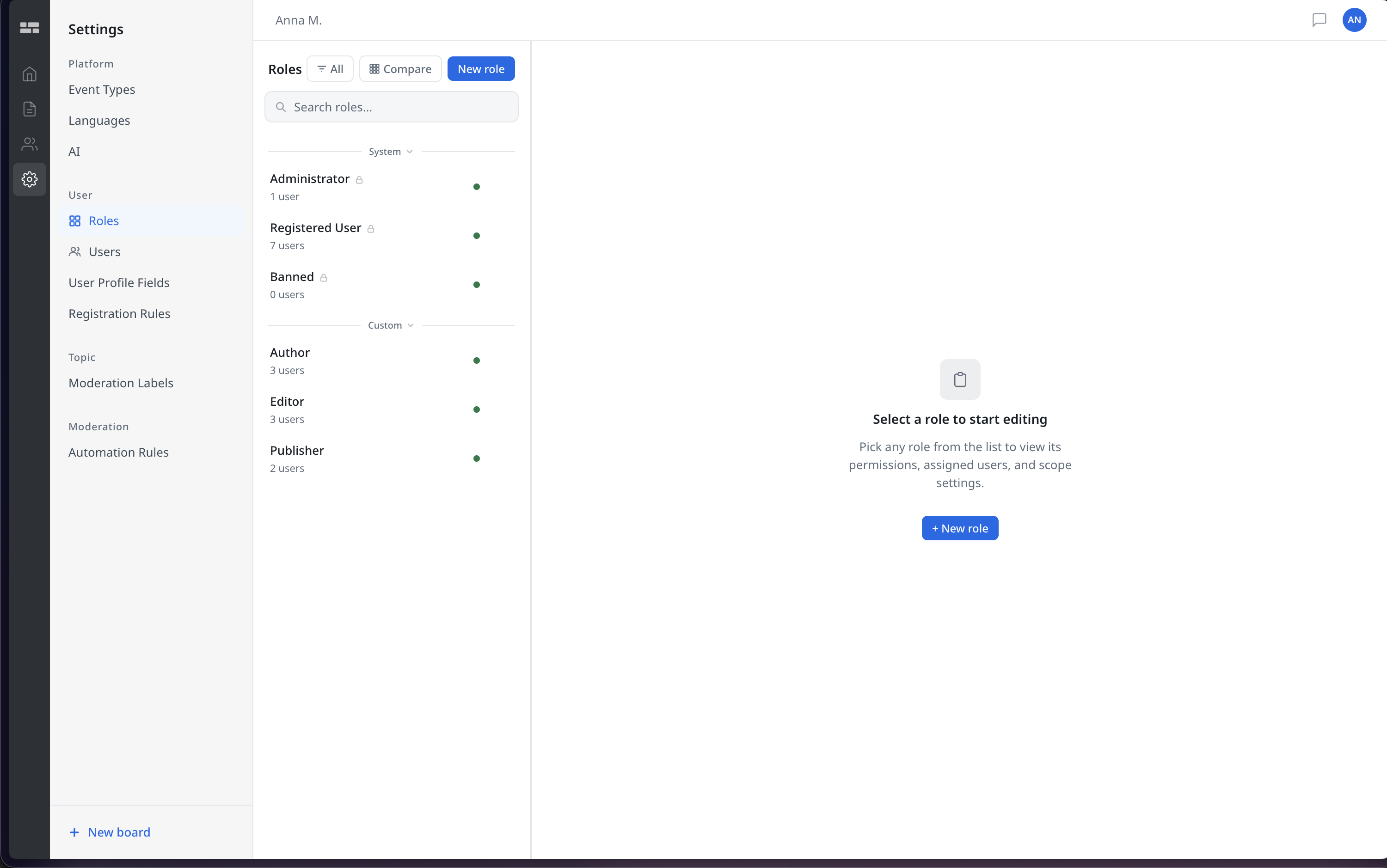
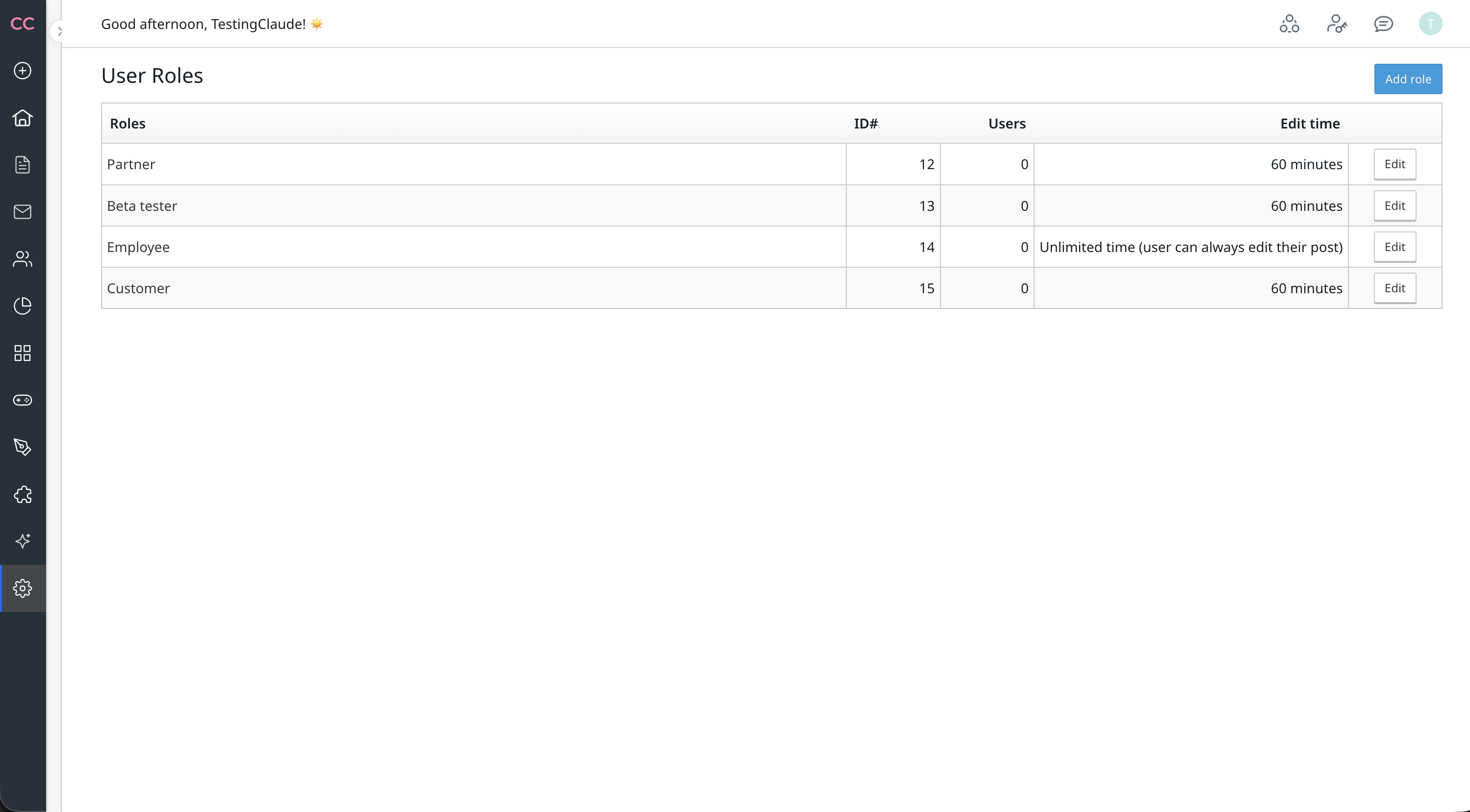
The roles list, before and after · drag to compare
The most consequential decision was not a visual one. Whether to put scope on the role, on the assignment, or as an independent object determined what every screen in the system had to do.
I explored three structural directions before recommending one.
Approach A, All on the role. A role bundles both permissions and scope. Simple to explain, but scope is user-specific, encoding it into the role recreates role explosion at a different level.
Approach B, All on the assignment. No roles, just assign a permission bundle directly to a user with a scope. Maximum flexibility, but updating shared behaviour means touching every individual assignment.
Approach C (chosen), Separated and independently reusable. Roles define permissions only. Scope is a separate per-assignment configuration. A user can hold multiple assignments: a role with full access globally, plus a second role scoped to one community area. A role change propagates to all users holding it immediately. Scope changes affect only that assignment.
This separation also shaped the backend data model, six tables designed alongside the UI: roles, permissions, role_permissions, assignments, assignment_scopes, and the three-level community hierarchy. The runtime permission check is a three-step query: load assignments for the user, check role_permissions for the requested permission key, then verify the resource falls within assignment_scopes if scoped.
This was the highest-stakes decision in the project. The permission sets model was architecturally elegant but would have made the admin experience meaningfully worse. Making that case required evidence, not opinion.
How individual permissions are stored and assigned to a role was the most contested decision in the project. Two engineering positions emerged.
The permission sets model: permissions are grouped into named, reusable sets. Roles are assigned sets, not individual permissions directly. This allows bulk updates, change one set and every role using it updates atomically. It also creates structural drift prevention by design.
The direct/flat model: permissions are assigned directly to roles. A role is a named list of permissions, nothing more. Simpler to reason about, and significantly simpler to build an interface for.
I led a structured evaluation across six criteria: UI complexity, bulk update behaviour, permission visibility, drift risk, SQL performance, and industry precedent. The sets model introduced a fourth concept (sets, alongside roles, users, and assignments) and hid individual permissions behind set names, admins could not see what they were actually granting without navigating to the set definition. The drift risk the sets model solved had not been observed in over ten years of enterprise operation on comparable platforms.
SQL performance analysis showed negligible difference between models at CC scale. Industry benchmarking confirmed the direct model as the standard across every comparable platform at this scale: Discord (47 permissions, assigned directly), Slack, Linear, Notion, GitHub, Intercom, and Discourse all use direct. Permission sets only appear at infrastructure scale, AWS IAM, Salesforce, where hundreds of permissions across thousands of services make an intermediate layer genuinely necessary. The drift mitigation for our context is a role compare view and role duplication as a first-class feature, not an architectural abstraction.
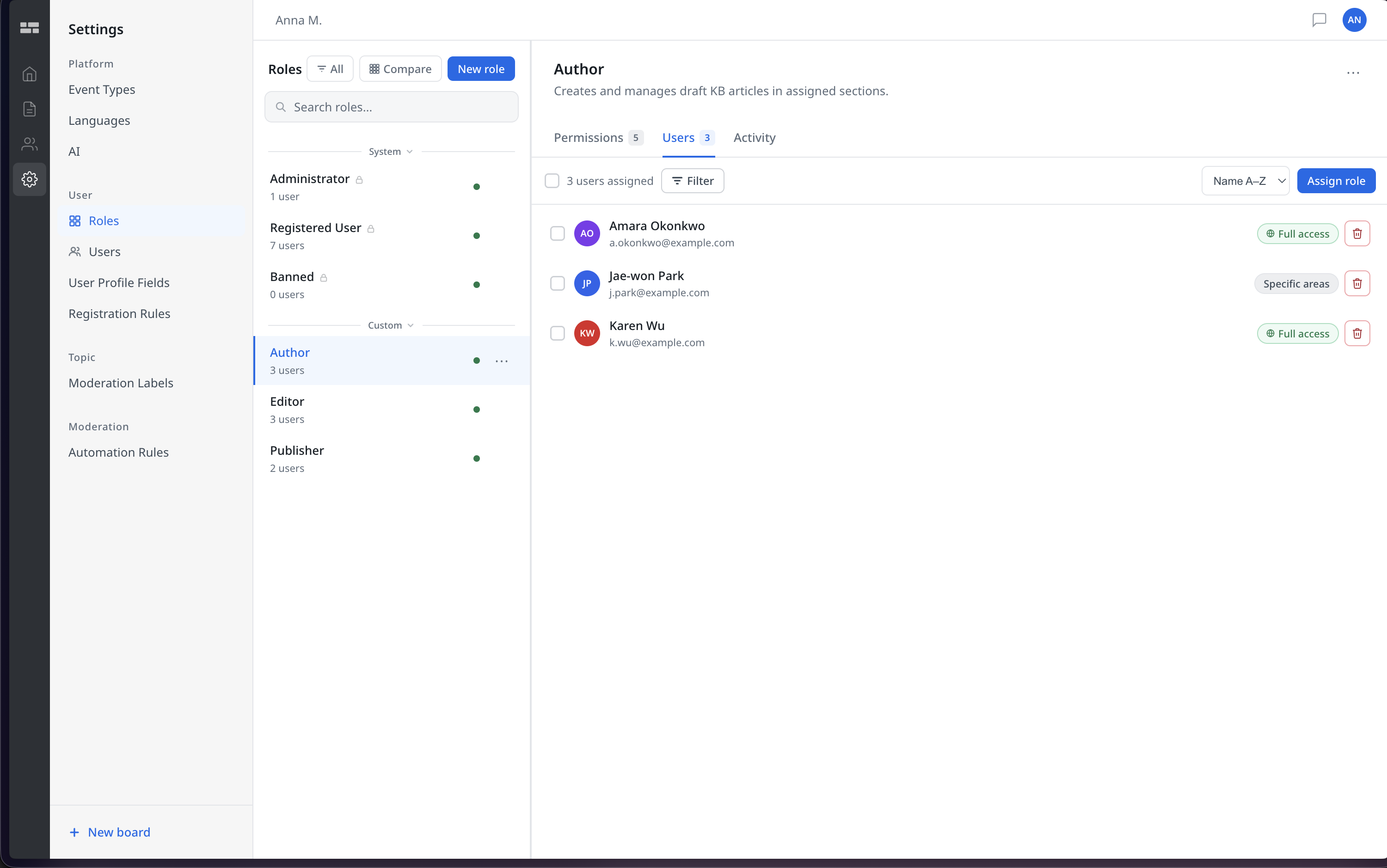
Static mockups are proposals. A functional prototype with real interaction logic is evidence. Nine iterations later, review feedback was about experience, not speculation about what it might be.
Complex permission systems are notoriously hard to evaluate in static form. Stakeholders nod at wireframes, then hit interaction edge cases the moment they use the actual thing. For a system with accordion state, three-state checkboxes, scope tree navigation, and role comparison, I needed something people could actually operate.
I used Claude Code to build a fully interactive HTML prototype, nine major versions across the project. The loop was direct: describe the interaction model, generate working HTML and JavaScript, review in the browser, catch the edge case, revise. What would typically take a developer two or three sprints took hours.
The prototype is a single standalone file with no framework dependencies, using exact design tokens from the CC Design System. The community structure is fully encoded, the Knowledge Base alone has 50+ categories. It implements real data structures, real state transitions, and real edge case handling: three-state checkboxes that cascade correctly through a hierarchy, scope trees that filter and auto-expand matching branches, and a role comparison modal that scales to 100+ roles without becoming unworkable.
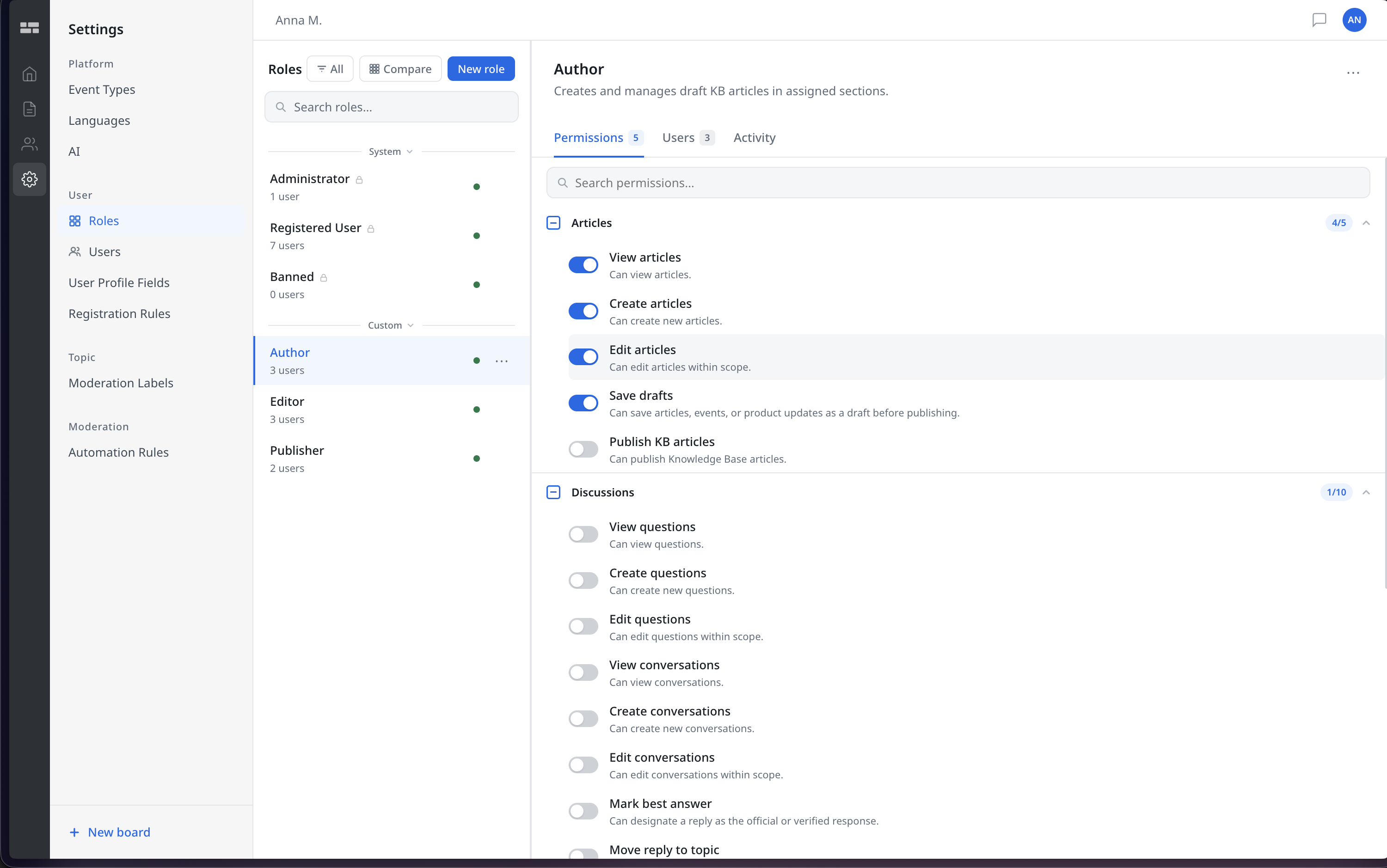
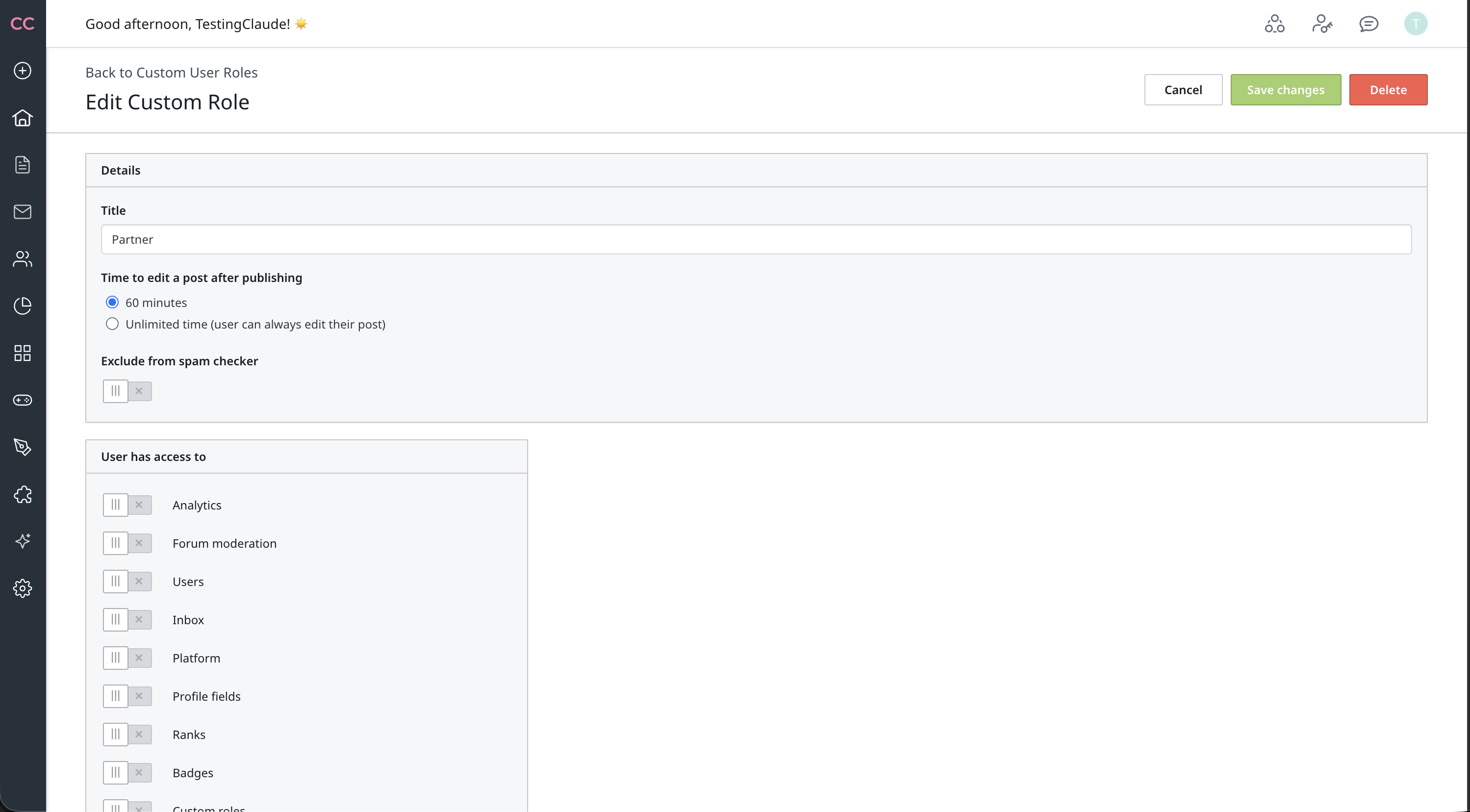
The permission editor, before and after nine iterations · drag to compare
The most important UX decisions here were not about visual polish. They were about reducing the number of concepts an admin needs to hold in their head at any point.
The accordion over a simple/advanced toggle. The original prototype had a simple/advanced mode toggle on the permissions tab. This imposed a "beginner vs expert" framing that required the admin to make a meta-decision before doing any actual work. The accordion collapses that entirely: sections are compressed by default, a single checkbox selects all without expanding, and detail is revealed on demand. No mode, just progressive disclosure.
The section-level checkbox on the collapsed header. A review catch: the original design required expanding a section to access the select-all button, an unnecessary click for the most common action (enabling an entire content type for a focused role). Moving the checkbox to the collapsed header means you can configure a full role without expanding a single section.
Scope groups in the users tab. The original users tab was a flat list. This broke down for enterprise accounts where the same role might be assigned to different people with different scopes, a KB author scoped to Product Documentation vs one scoped to Release Notes. Scope groups group users by their shared scope, make the scope visible on the card header, and provide separate "Add users" and "Edit scope" actions. Creating a new scoped assignment is a first-class action, not an afterthought.
Access level radio cards over a toggle. The scope tab originally used a toggle labelled "Global access". It was unclear whether the state meant "currently global" or "make global". The replacement: two explicit radio cards, Full access (with a green confirmation banner describing exactly what it covers) and Specific areas (which immediately reveals the tree). Intent is unambiguous at a glance.
Description and scope are skippable, and roles can be assigned to a segment in bulk or to individual users directly. Every optional path still converges back to a single "Create role" action.
The best decision in this project was not a visual one. It was choosing to co-own the architecture problem with engineering rather than waiting for a spec to design against.
The permission grouping is finalised. The flat permissions architecture is agreed across design and engineering, and the model is now in active development with a beta release planned. The prototype reached version 9 and covers the full flow from role creation to user assignment with scope groups. The backend data model has been reviewed. The role compare modal is built and iterated.
The most telling signal came from engineering. The backend lead told me that bringing design into the problem surfaced user constraints and workflow pain points the team had not caught while evaluating it from a purely functional and technical angle, gaps that would otherwise have shipped as friction and been expensive to unwind later. The architecture they were about to commit to changed because of it.
Three questions remain open: whether MCP scope shares the role_permissions table or runs independently (this affects the scope tab design for MCP-enabled roles), when the role compare and diff view ships (built in prototype, needs PM sign-off), and customer validation of the six role templates in the new role wizard before hardcoding.
Three things this project makes concrete. I push hard on the underlying model before touching interface, the architecture debate was design work that determined what every screen had to do. I treat prototyping as a method, not a deliverable, the prototype existed to generate feedback, surface edge cases, and resolve architecture uncertainty faster than written specs could. And I work across UX, systems design, and implementation, understanding the data structures well enough to co-design them is what made the architecture debate resolvable with evidence rather than opinion.
Resolved a contested backend architecture debate, direct vs. permission-sets, across engineering and product before a sprint was scoped on the wrong model. Now in active development, beta planned.
Product Designer (solo), Engineering Lead, Senior PM, Customer Success stakeholders.
Thread Replies & Communities
Designed the first threaded reply system for Gainsight Customer Communities, transforming flat comment feeds into structured discussions. A contractual requirement in enterprise deals and a direct factor in lost contracts.
Read case study →